

How to Verify an Email From Unifin
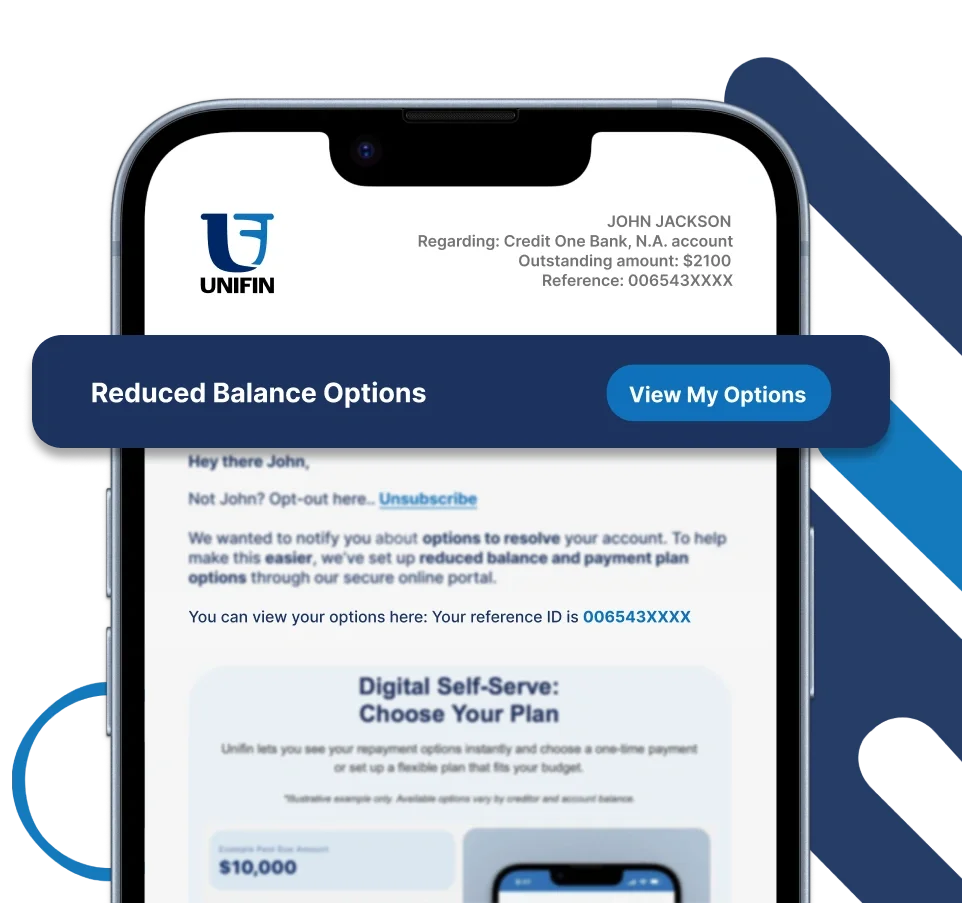
Unifin may send different types of emails based on your account and the purpose of the communication. To verify that an email is legitimate, look for key details commonly found in official Unifin communications.


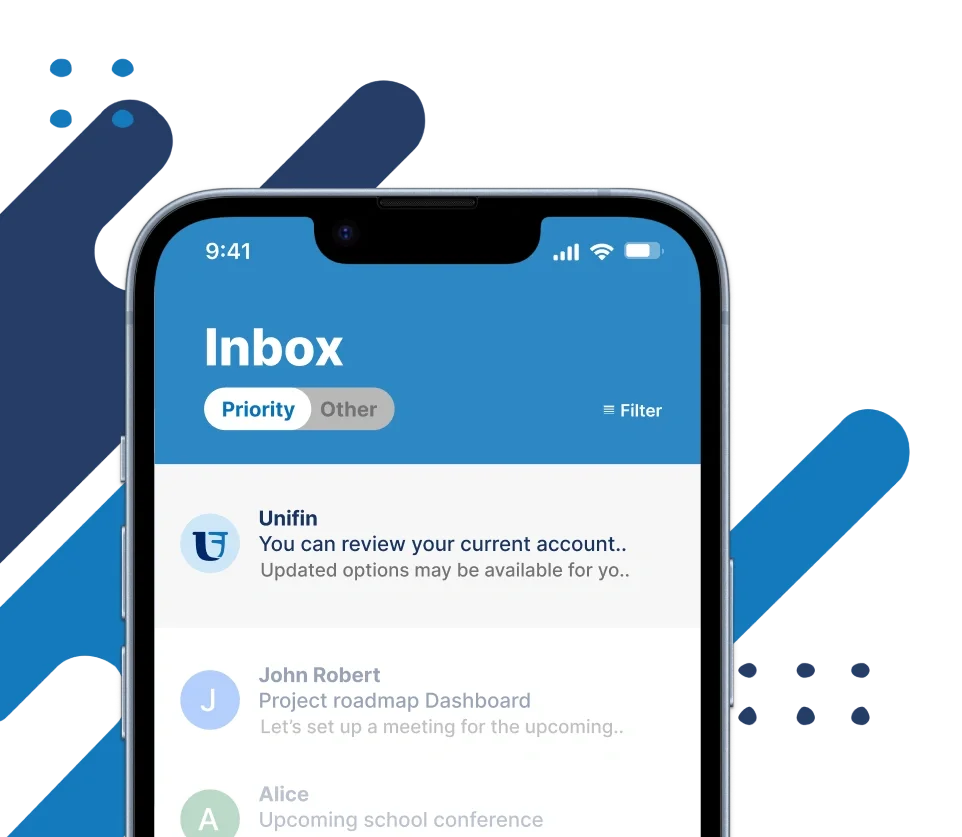
Once you open the email, take a moment to review the information before clicking anything.
Open the Unifin Email and Review the Details
Depending on the type of email you receive, look for information such as:
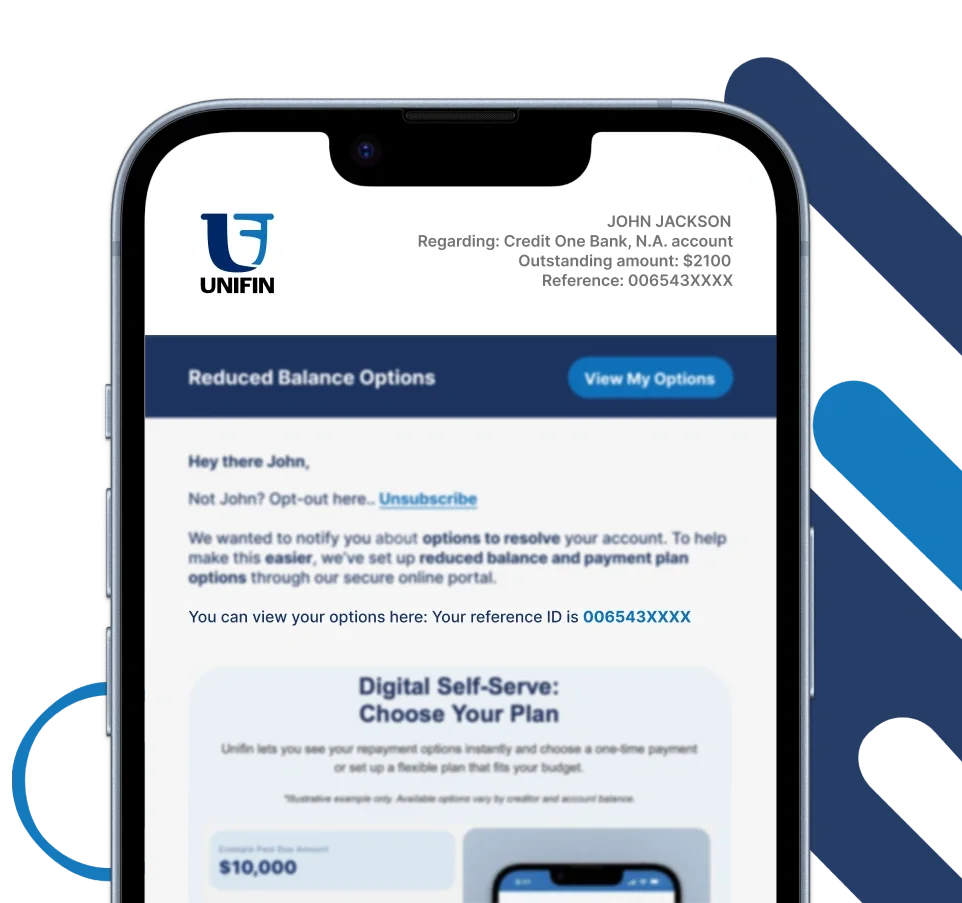
Your communication may include a Unifin ID or Reference ID associated with your account.
This information can help connect the communication to your uOffer account.
Unifin ID or Reference ID
Creditor Information
Depending on the communication, you may see information about the Original Creditor or Current Creditor.
Unifin Contact Information
Look for information that provides a way to contact Unifin through an official channel.
Visible ‘Unsubscribe’ option
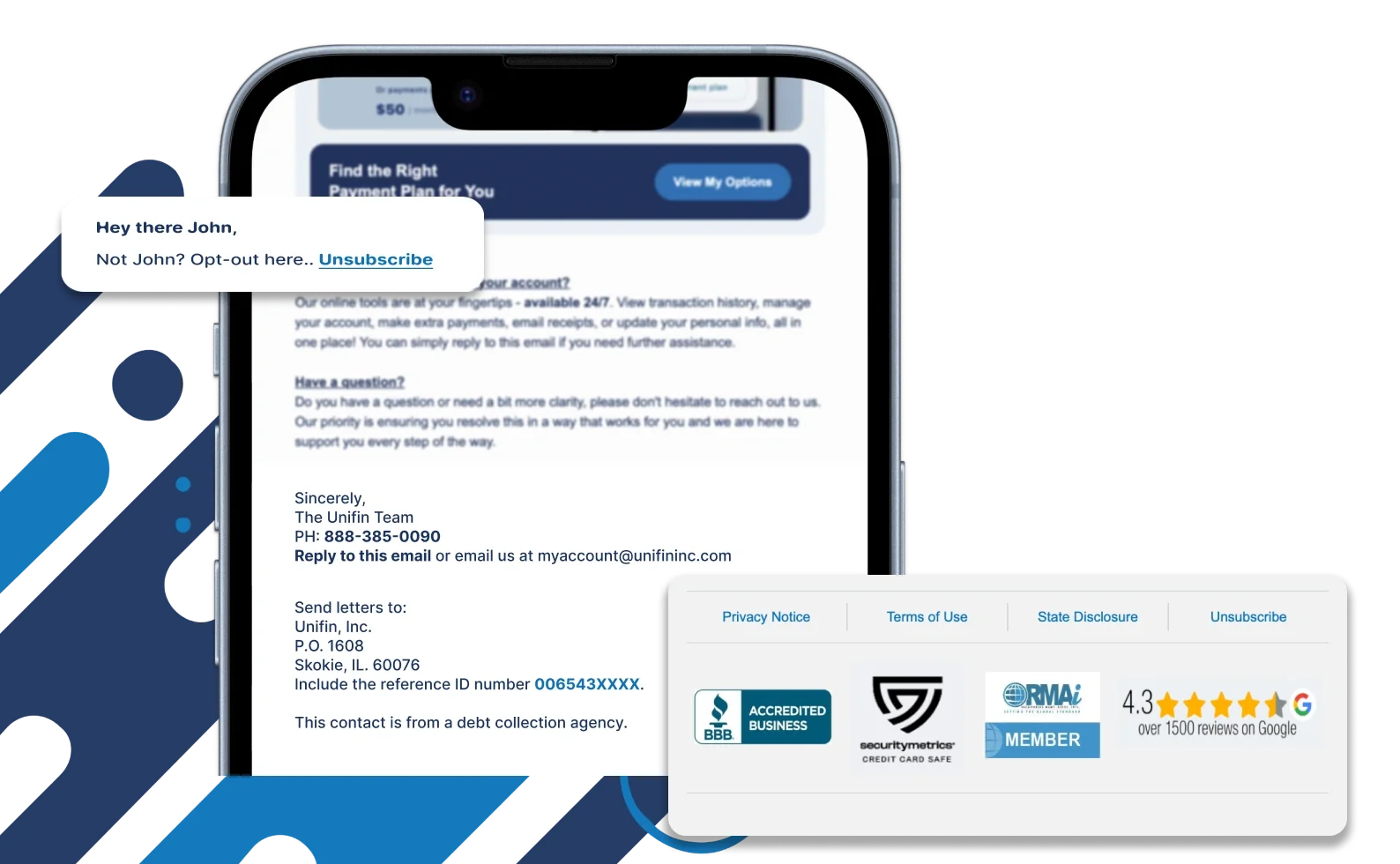
An unsubscribe or opt-out option is clearly visible and accessible in every Unifin email, giving you the control to manage your email communications.
Required Notices or Disclosures
Depending on the type of email, you may also see: required notices, disclosures, license information, privacy information, or other applicable information.
The email examples on this page are for reference only.
Legitimate Unifin emails may vary in content, wording, and design depending on the communication's purpose.
Not Every Unifin Email has the same content
You may receive an email about accessing your account, reviewing available options, or a validation notice email. While the content and format may differ, these identifying details can help you verify that the communication is legitimate.
Verify Your Account Through uOffer
Go directly to uOffer
Following your account information, look for a "View My Options" or "View My Account" button.
This link directs you to the secure uOffer portal, where you can log in to review and verify your account information.
Tip: If you are unsure about a link in an email, open your browser and navigate to the official Unifin website yourself instead of clicking the email link, https://uoffer.unifininc.com
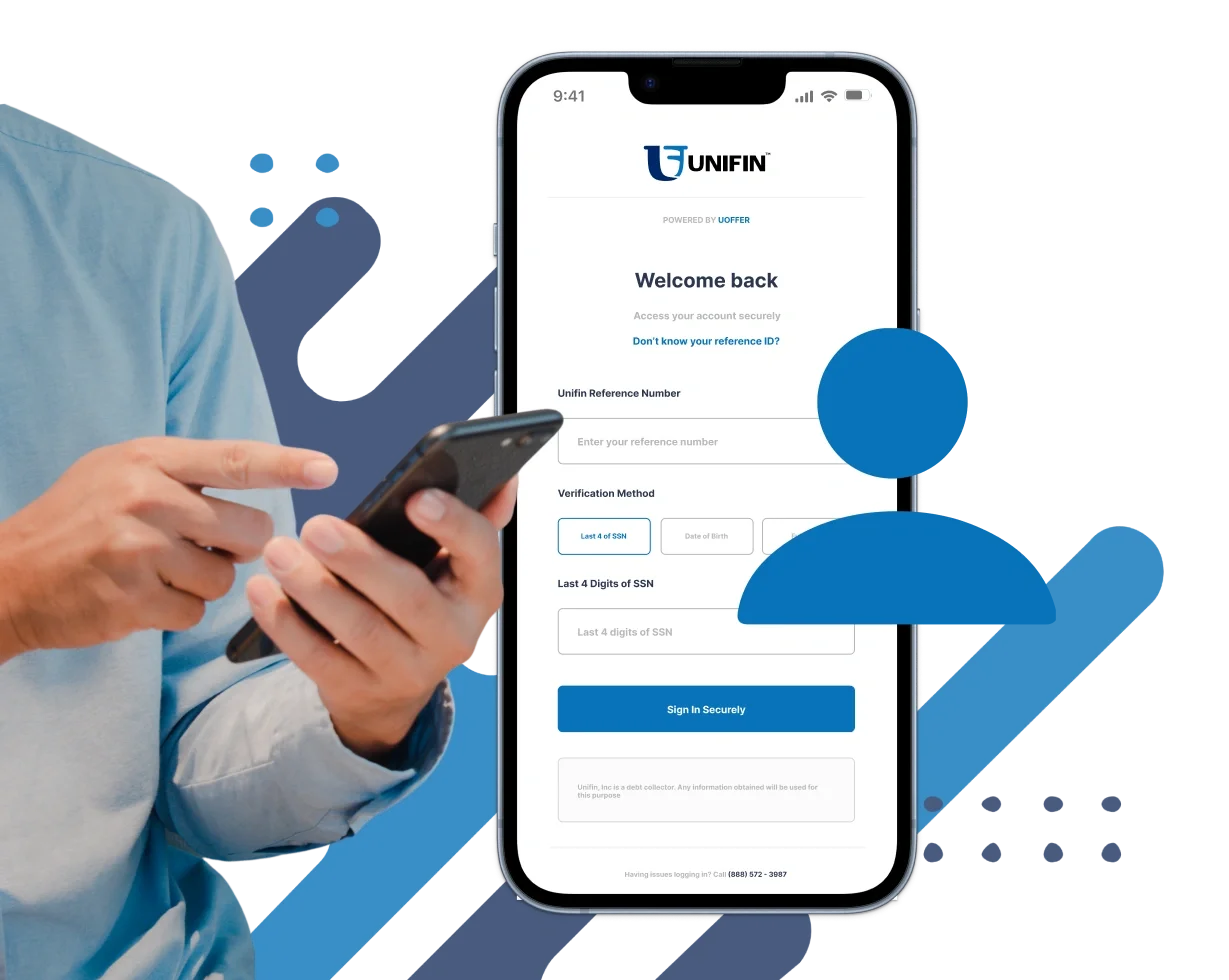
Sign In Using Your Unifin ID
On the email, looks for the Unifin ID or Reference ID associated with your account.
Once you reach the uOffer sign-in page, use your Unifin ID and the information requested by the portal to access your account.
Review Your Account After Signing In
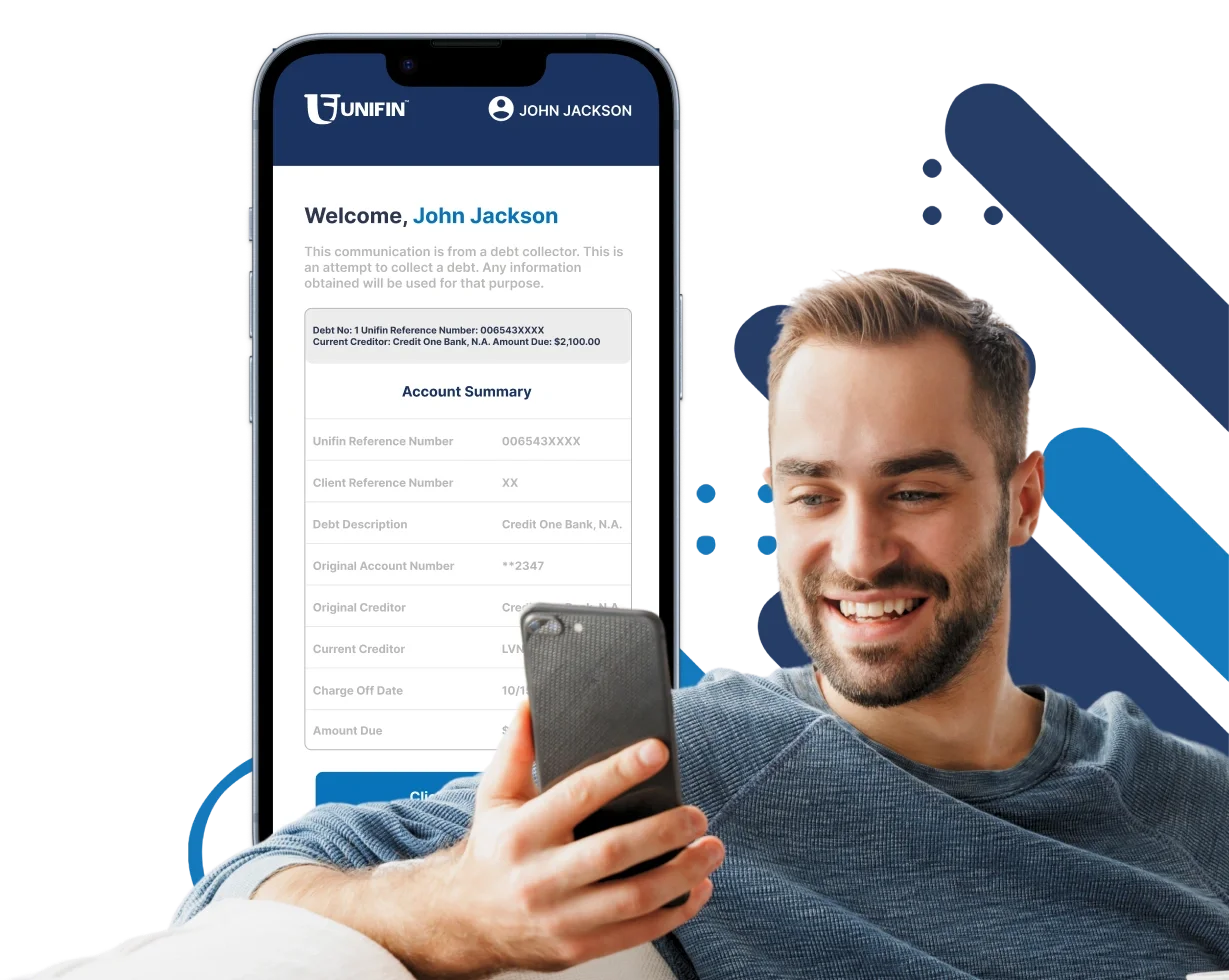
On your account, you may see information such as:
Your account information
Unifin ID or Reference ID
Creditor information
Account status
Available options
Payment or resolution options
Other account-related information
After signing in, review the information available in your uOffer account.
Compare the information
Compare the information in your email with the information shown in your uOffer account.
If your email is directing you to uOffer, the portal may allow you to review information and available options related to your account.
The options displayed can vary depending on your account.
You may be able to review available payment or resolution options and choose what works for your situation.
Review Your Available Options
You do not need to rely on the email alone to understand what is available. Your secure uOffer account provides the account-specific information associated with your Unifin ID.